GIZMORY
GIZMORY GUIDE
Record the phones you used to own
Choose a device in Gizmory, add when you used it and its status, and save it to your personal timeline. Your old phones belong there too.
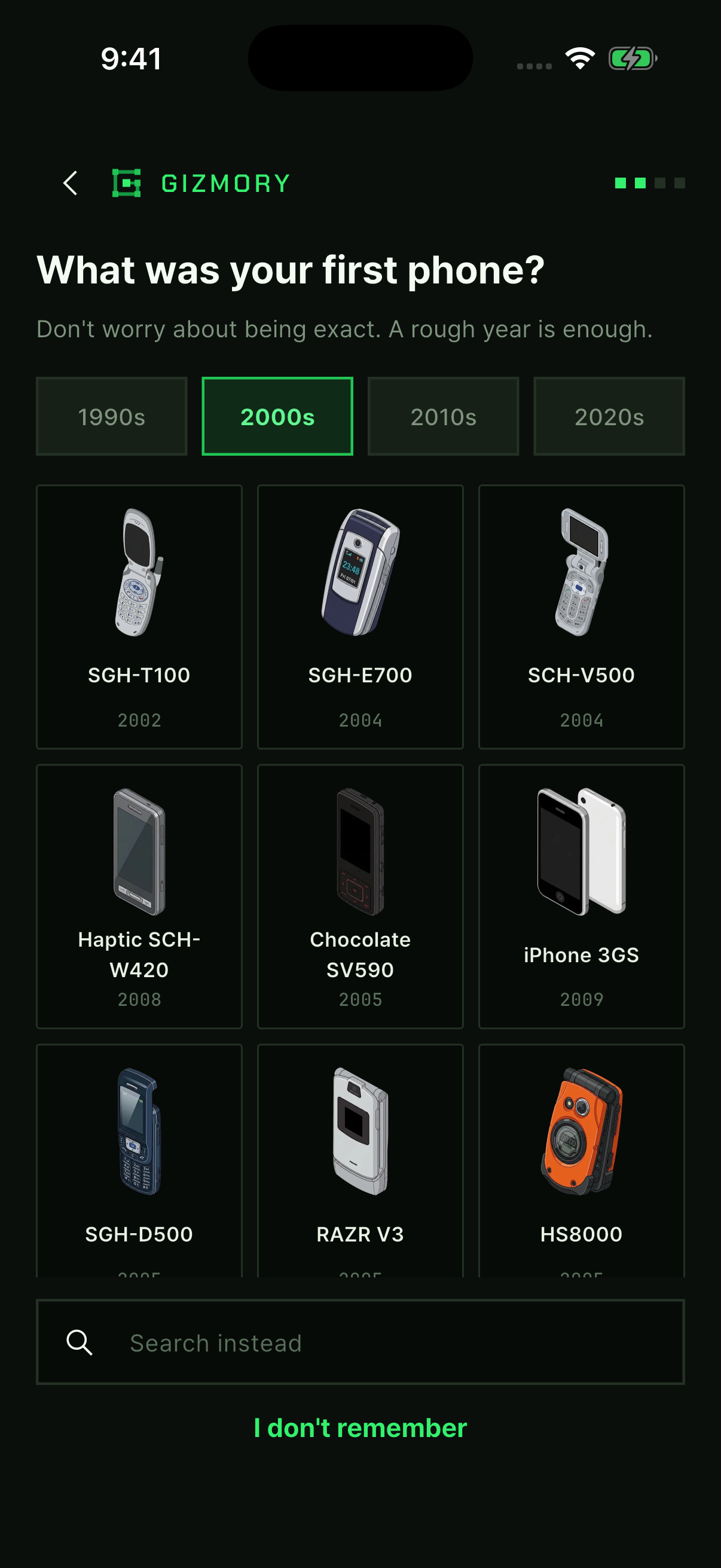
01. Pick your first phone
This is the screen you see when you get started. Browse the decades from the 1990s to the 2020s, or use the search field below. If nothing comes to mind, tap “I don’t remember” to move on.
02. Add when you used it
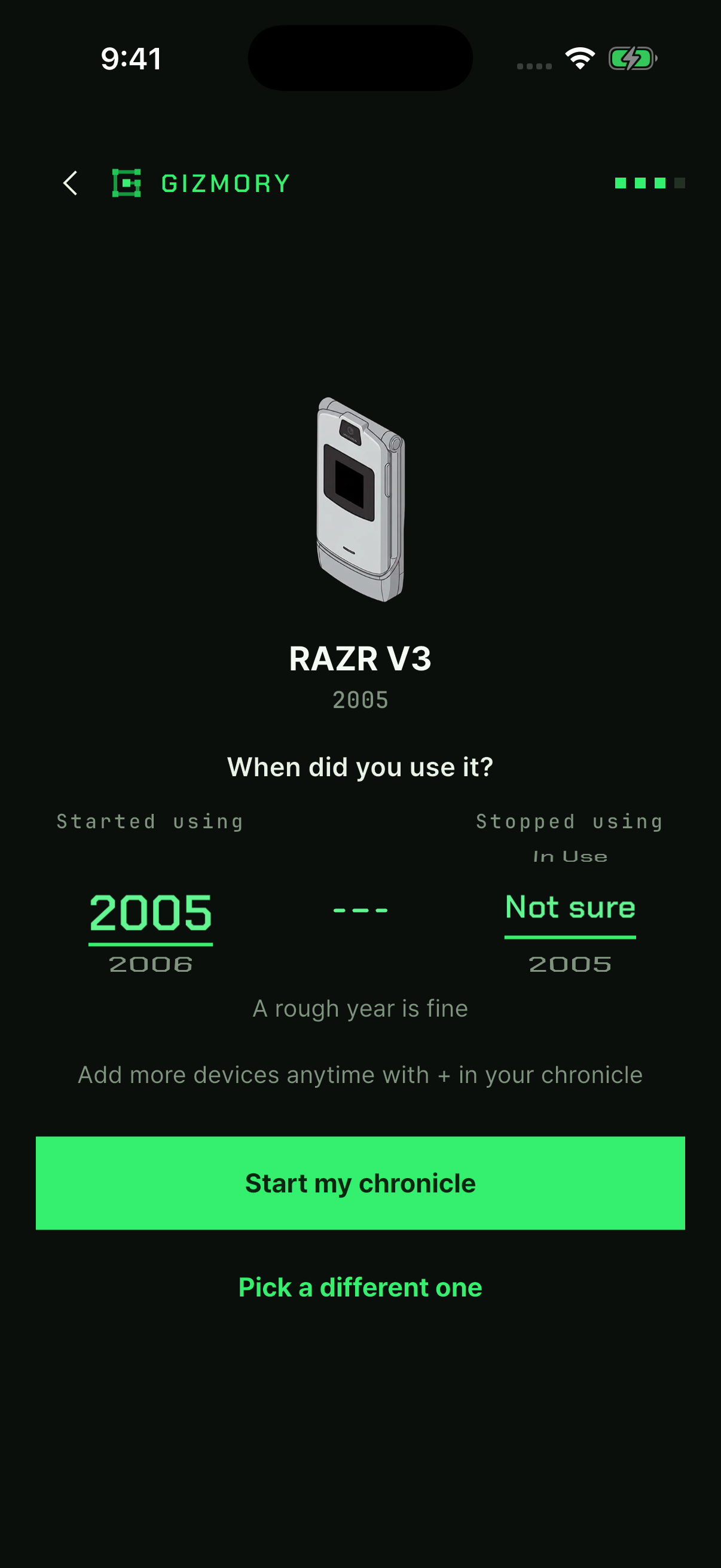
Choose when you started and stopped using the phone, then tap “Start my chronicle”. A rough date is fine. Use “Not sure” when you cannot remember.
03. See it in your Chronicle
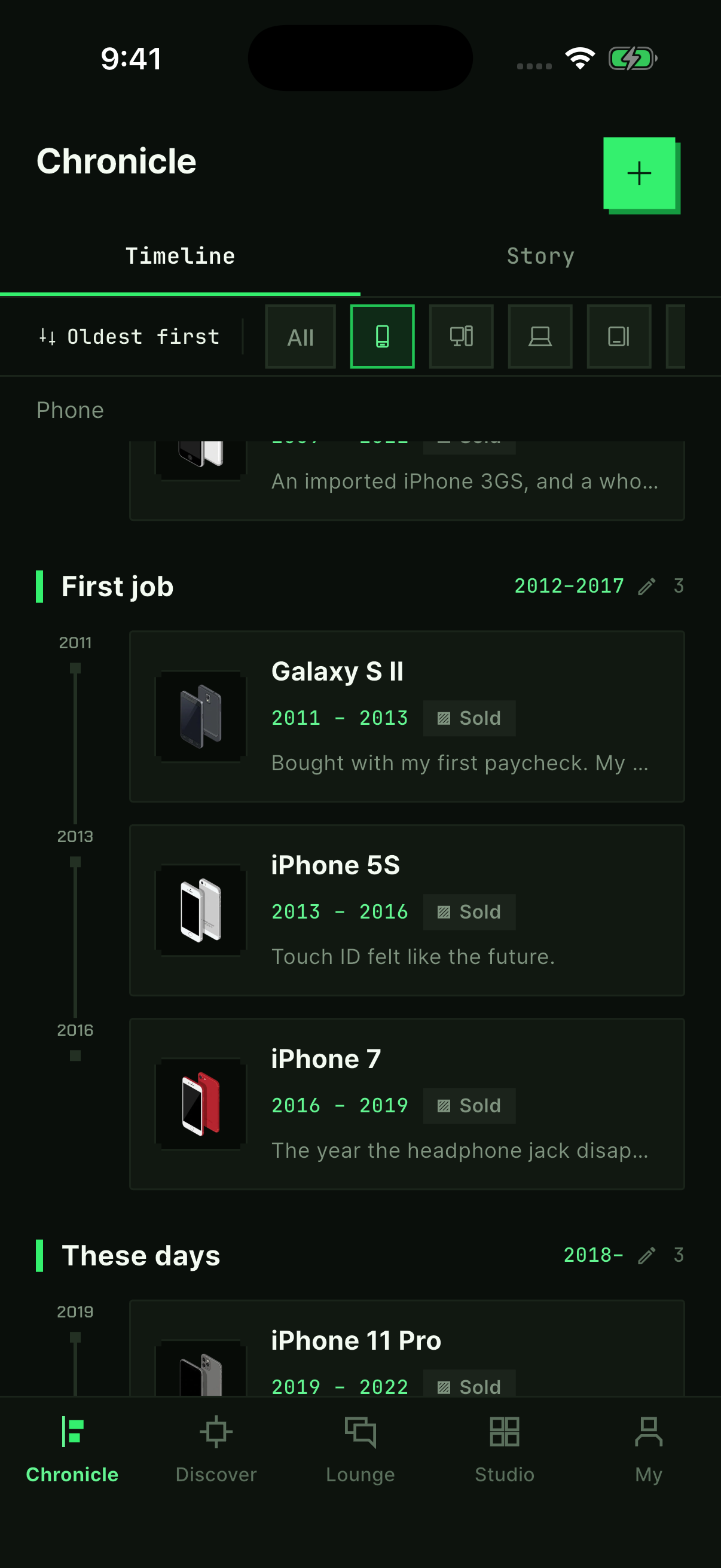
Open the Chronicle tab at the bottom of the app to see your recorded devices. Tap + at the top right to add another. Open a record to update its status or add a story.
Start with one device you remember
- Find a device in the app. Browse the catalog using a product name or model you remember.
- Add when you used it. An approximate year is enough, and you can leave the year unknown.
- Choose its status, such as still in use or kept in storage, and save it.
- Find it in your Chronicle. If a memory comes to mind, add it as a story.
What if my device is missing from the catalog?
You can request a catalog addition. While you wait, you can also enter the details yourself to start a personal record. Add what you remember rather than choosing a similar model as an exact match.
Your memories and what you share
Keeping a personal record and posting in the Lounge are separate actions. You can start your Chronicle without signing in, then choose which stories you want to share.
Once your collection starts to grow
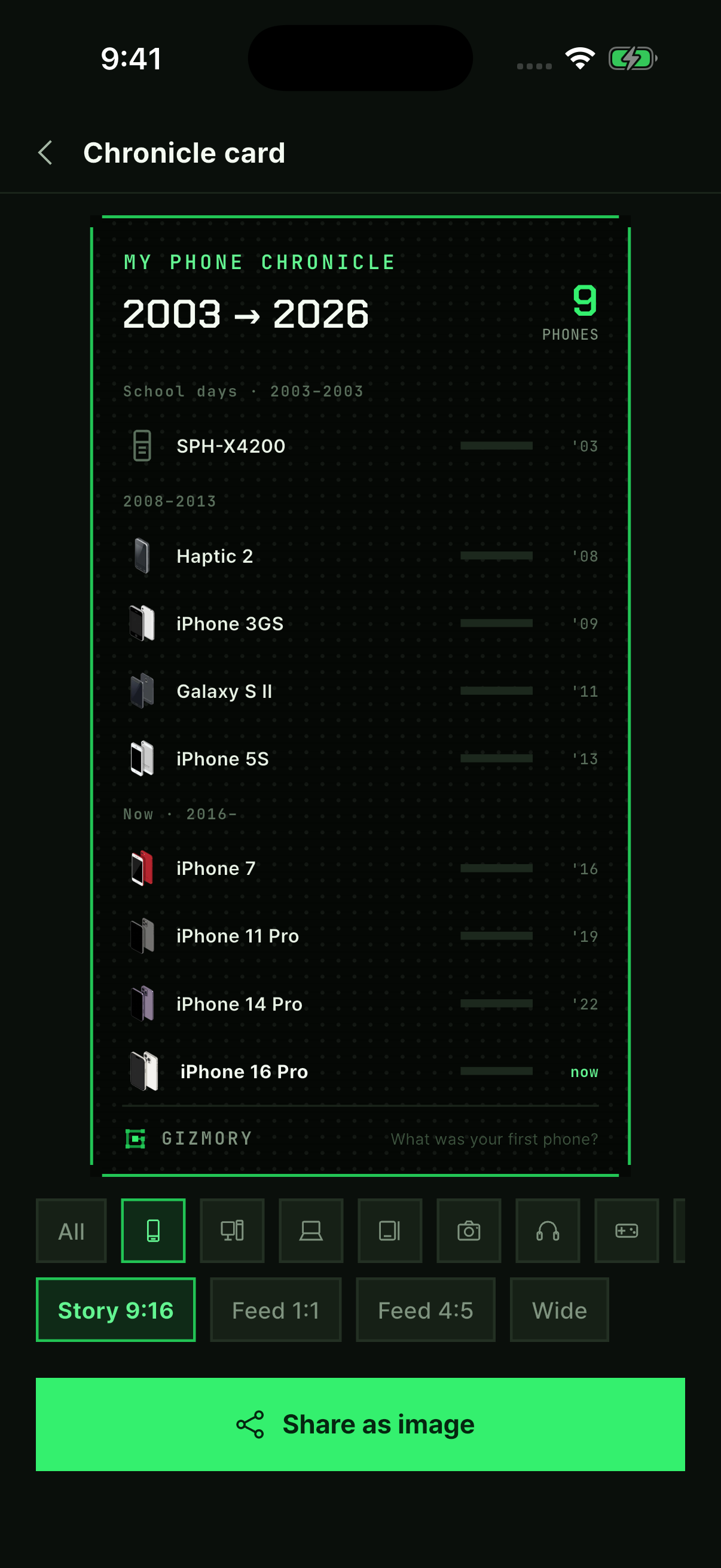
Open Studio to turn your device records into cards you can share. Check the current in-app information for the features available to you.
Official information
This guide explains Gizmory’s features. Visit the Gizmory home page for an overview, the Privacy Policy for details about data handling, or Support for help.
More guides
Make your own device cards in Studio
Follow real app screens to make a timeline card, a sticker poster, or today’s Gear Fit. Turn your device records into images to save and share.
Follow along with real app screens ↗Find old devices using photo information
Use the make and model stored in a photo’s EXIF information to find possible matches for old devices. Learn how on-device analysis works and when a match may not be available.
What can I do without a Gizmory account?
Learn which personal device records you can keep without an account and which Lounge and cloud features need a sign-in. Check how your records and shared photos are handled.